Your working files, where you already deliver.
File sharing and file requests for photographers and videographers
Storage, sharing and file requests for photographers, videographers and video production companies. Share material with clients and collaborators by link, on every plan.
Organize your folders and collect raw footage, logos or selects with a link. Studio plan
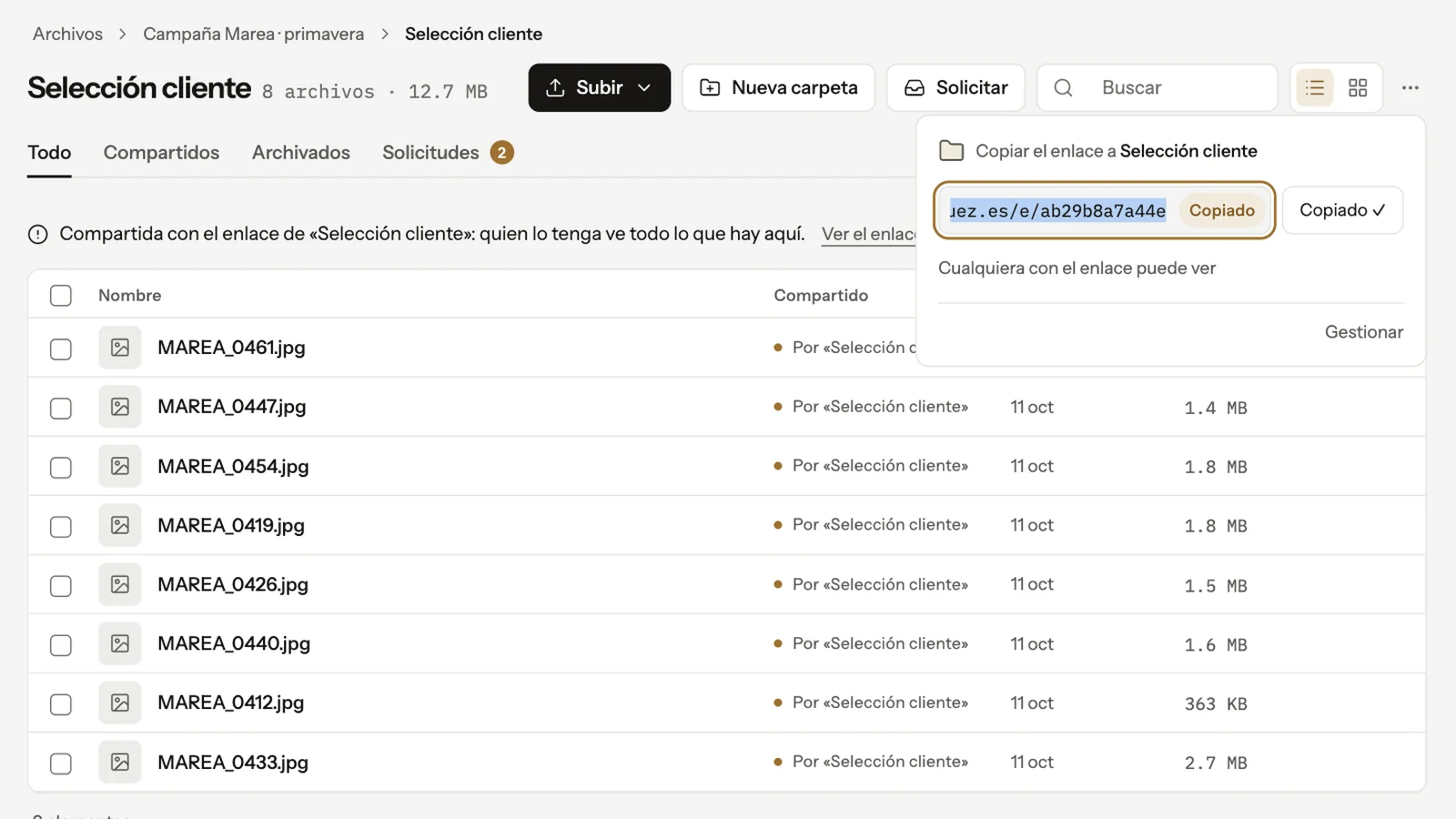
Three jobs. One folder.
What you now juggle between a hard drive, Google Drive and WeTransfer lives right next to your client galleries.
Organize
Working folders inside your plan’s storage: raw footage, selects, client logos, versions. Studio plan
Share
Send a file to a client, a collaborator or a lab with a link, on every plan. No re-sending, and no link that dies after seven days — it only expires if you set a date.
A whole folder or several files in one link. Studio plan
Request
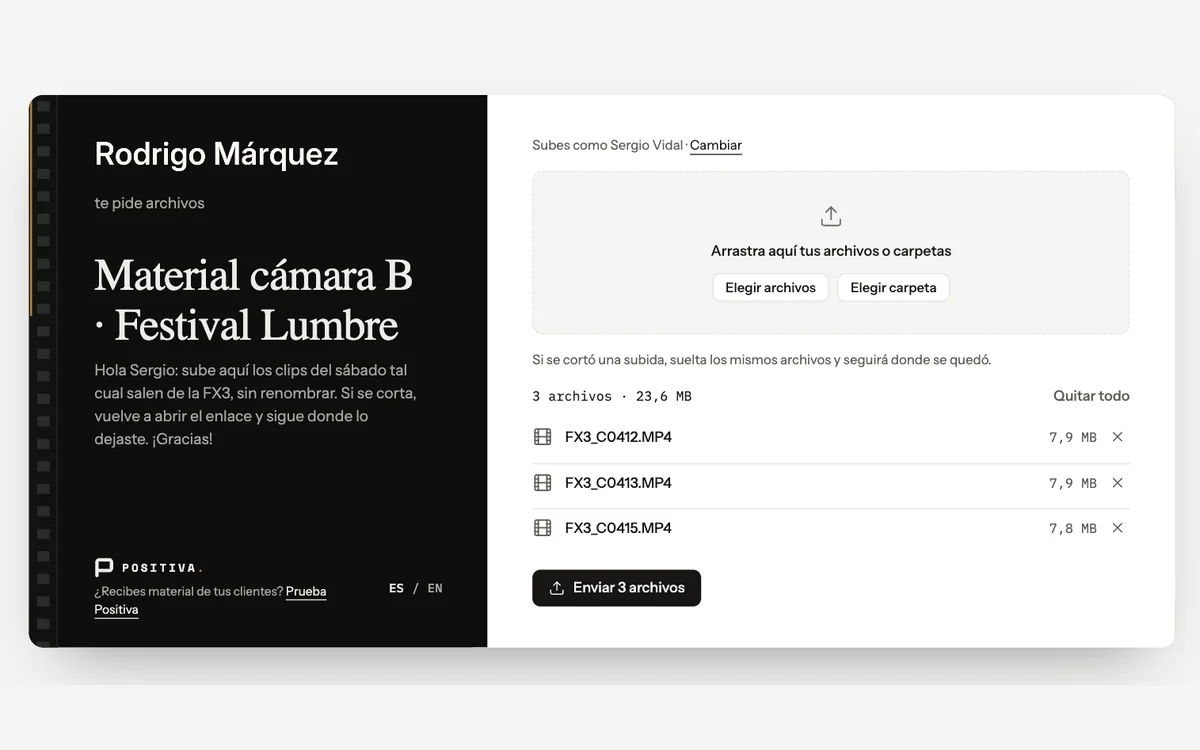
Ask for material with a link: raw footage from a second shooter, logos from a client, files from a vendor. They upload without an account. Studio plan
Three steps. Studio plan
It’s the same workflow you deliver with: what you receive here, you can review, deliver and publish without leaving Positiva.
Create the request
A title and a destination folder in your Files. You get a link to share.
Whoever gets the link uploads
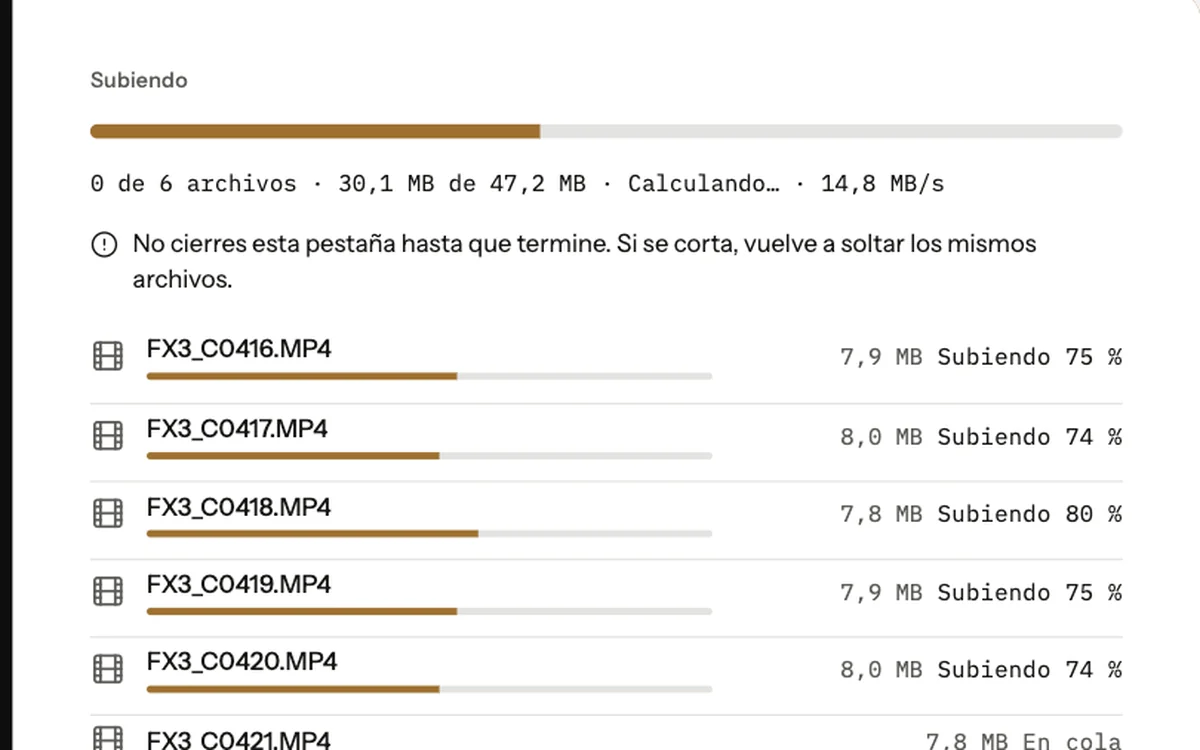
No sign-up, straight from the browser. They see time remaining and upload speed. If the connection drops, the upload picks up where it left off.
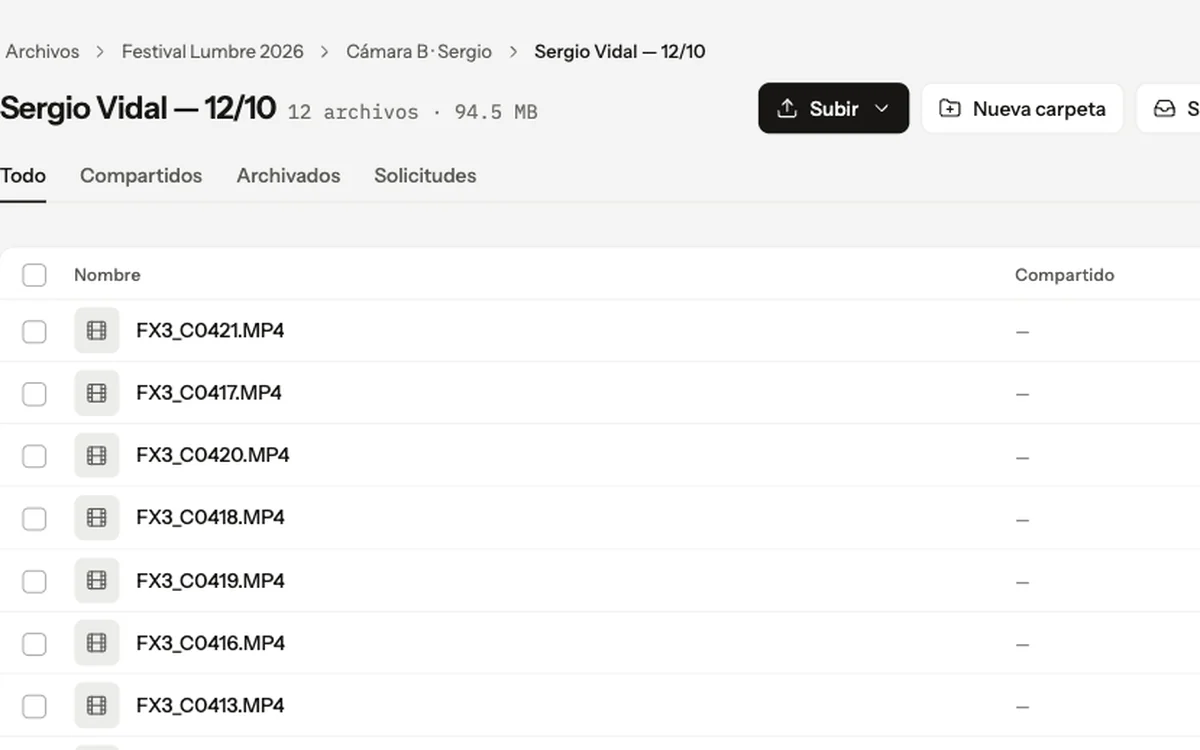
It lands in Files
In the folder you chose, with a subfolder for each person who uploaded. From there, download it or create a delivery or proofing gallery without leaving Positiva.
Take real control of your files.
No account to upload
Open the link and drag files in. No sign-up, no app. Studio plan
No per-transfer limit
The only limit is your plan’s storage. A 40 GB raw file is just another file.
You know what takes up space
Every folder and file shows its size, so you can keep track of what you store and decide based on real numbers.
Resumable uploads
Long uploads survive a dropped connection or a closed laptop.
Optional password and expiry
The links you share folders and files with can ask for a password before showing anything, and can stop working after a date you choose.
EU-hosted, never used for AI
The same European hosting as your galleries. Your files are never used to train AI.
Before you request your first raw footage.
Do my clients have to learn how to use it?
No. They only open a link: to see what you share or to upload what you ask for. Files is your tool, not theirs.
How much can someone upload to me?
Whatever fits in your storage. File requests have no size or file-count limit of their own.
Does the file request link expire?
Not on its own. It stays open until you close it once you have the material, or until an expiry date if you set one.
Can I password-protect a file request?
No. File requests don’t have a password: anyone with the link can upload. If the link reaches the wrong person, you close the request or regenerate its link. The links you use to share files and folders can have a password.
Which plan includes it?
Folders, multi-file uploads and file requests are on the Studio plan (1 TB). On the Free and Author plans, Files holds individual files that you share one by one. Client galleries and proofing are on every plan.
Can several people use the same link?
Yes. They all upload to the same folder, each into their own subfolder, and you see every file with the uploader’s name.
Deliver, review and share. With your brand.
Folders, multi-file transfers and file requests are on the Studio plan, along with 1 TB for photo and video, your custom domain and proofing rounds. Book a demo and I’ll walk you through it on your own workflow, or see the plans.
No commitment and no newsletter: I'll only email you to schedule it.