Skip to content
Client galleries

Your work. Your brand.

Client galleries for photographers and videographers

Private photo and video delivery with your fonts and your colors. Designs built for your client to enjoy, links that never expire, moments to tell the story in order, and photos and video together behind the same link.

“Can you send me the link again?”
is no longer part of your week.

rodrigomarquez.positiva.studio/g/must-have-nyc
Real gallery · photos and video, delivered with Positiva
How it works

You upload, you share, your client enjoys it.

01

Photos and video in one gallery

Drag your files in. While the upload builds the optimized versions, you can arrange moments, design the gallery or create the links.

02

A link with your brand

An address with your name and the gallery’s name, editable before you create it. Each link has its own password and download quality, and you can change both at any time without generating a new link.

Or on your own custom domain. Studio plan

03

Your client enjoys it

They open the link in any browser, browse the gallery, mark favorites and download whatever their link allows. That’s it.

Your brand

Your brand at the moment that counts.

We put a lot of time, money and effort into making work of the highest quality. Clients only keep what we deliver, and that’s where a bland delivery experience can drag great work down a few notches.

  • No search engines and no accounts: only the people you choose see your work.
  • Your colors and fonts on the cover and the grid.
  • Your logo on the cover, the grid and the downloads, with no Positiva badge. Author and Studio plans
  • yourstudio.positiva.studio, on every plan.
  • Or your own custom domain. Studio plan
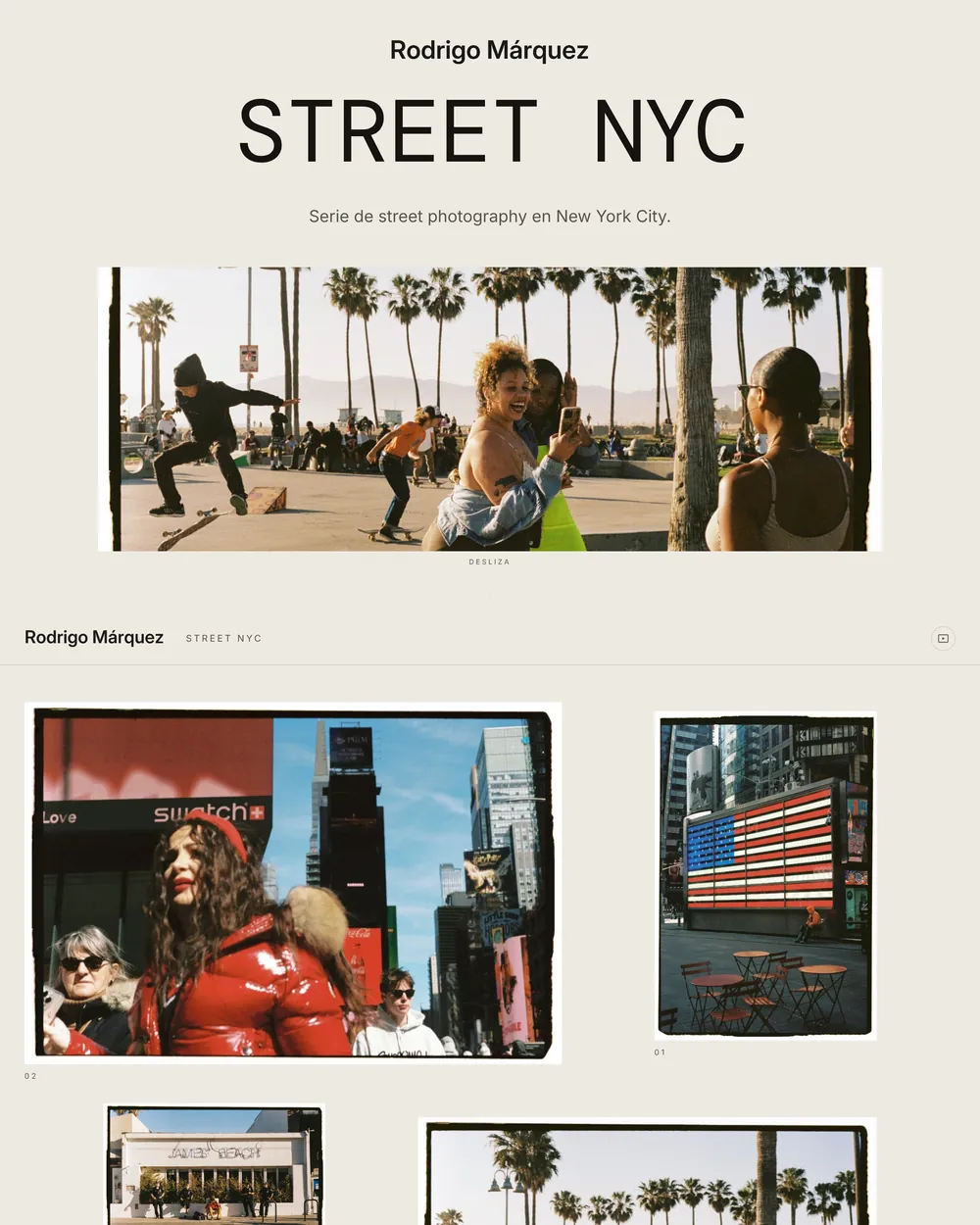
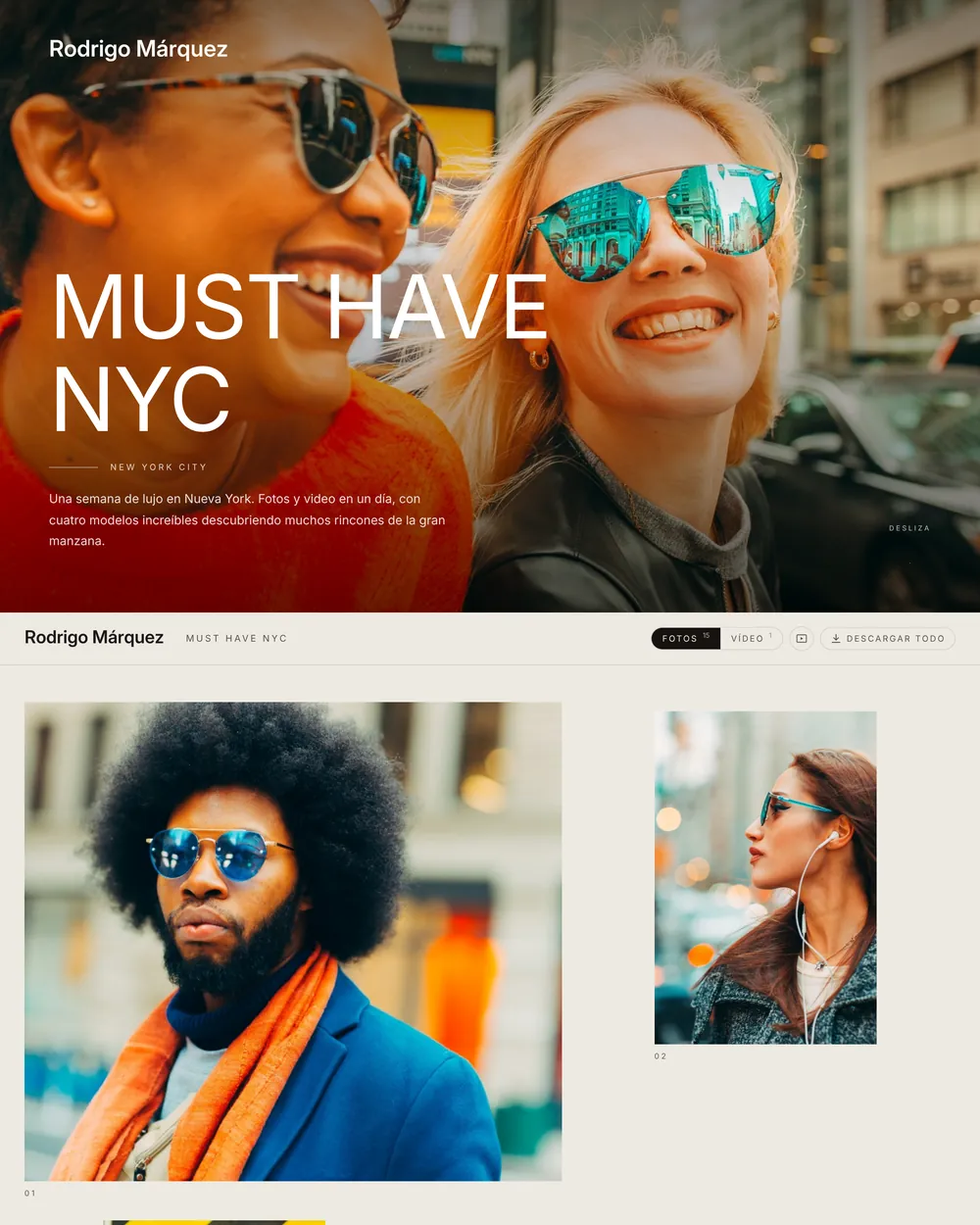
Cover of a real client gallery with the studio name at the top and the Street NYC series
Real gallery
Design

Seven covers. Six grids. Your signature.

Every gallery comes with art direction designed by a photographer: you pick the cover, the grid and the theme, and your fonts and colors are already in place.

Your logo, too, and Positiva doesn’t show up anywhere. Author and Studio plans

Covers

Seven cover layouts. You choose one per gallery.

Grids

Six ways to lay out the grid, all designed to let your work lead.

Themes

Light or dark, with accent colors that don’t compete with your photos.

Video

Designs of their own for video delivery.

Client gallery with a full-bleed cover and the title over the photo
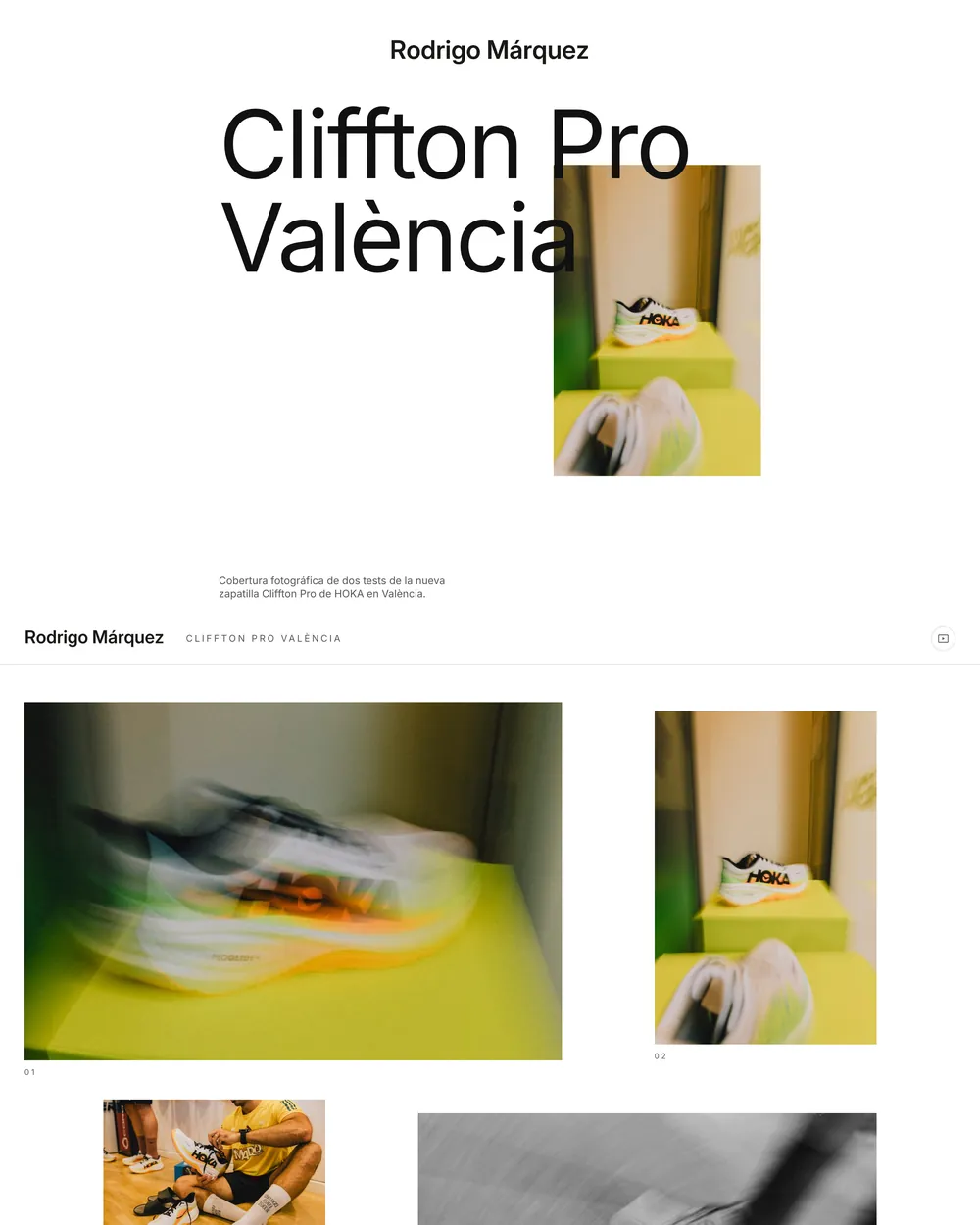
Client gallery with an editorial cover: large title and an offset photo
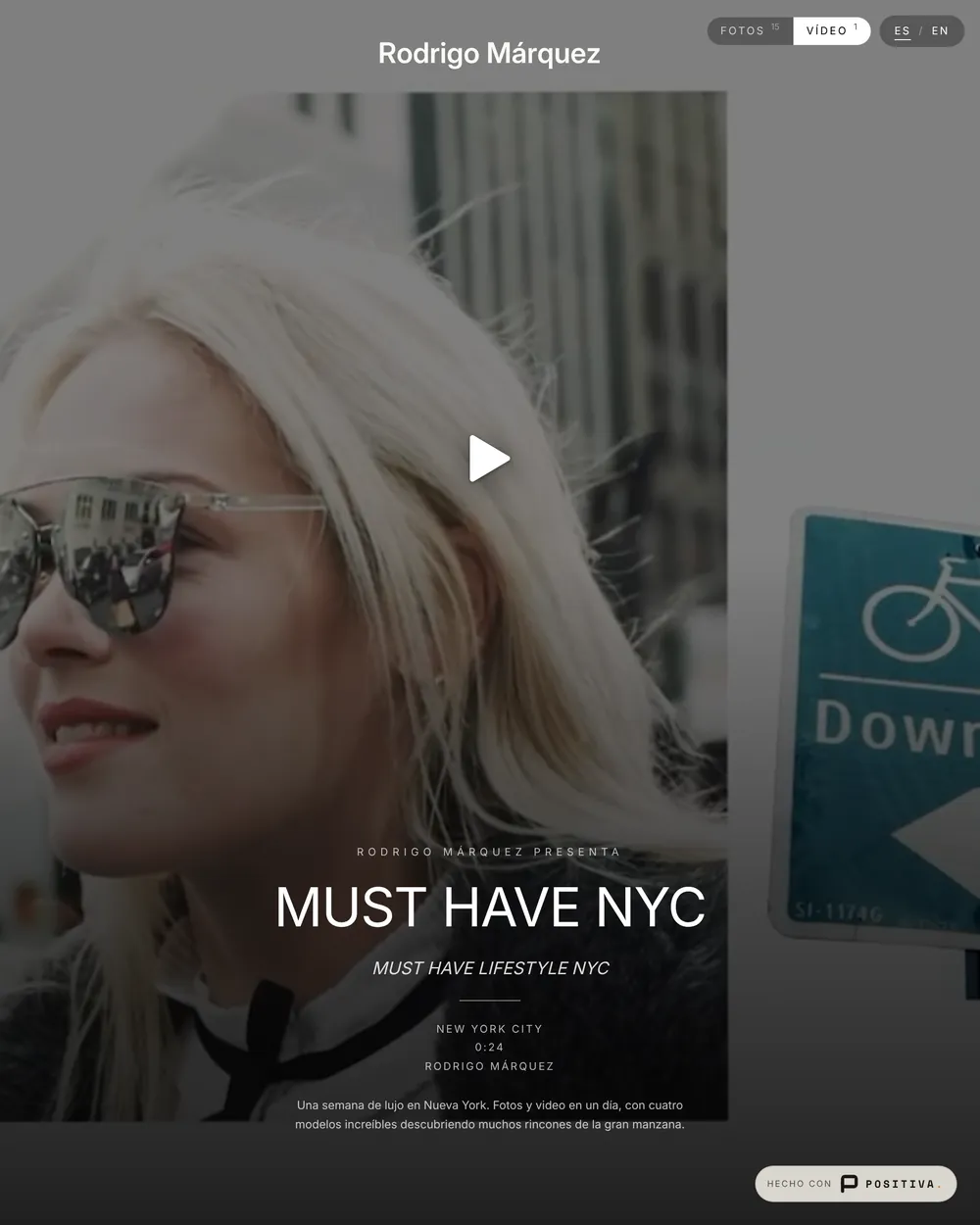
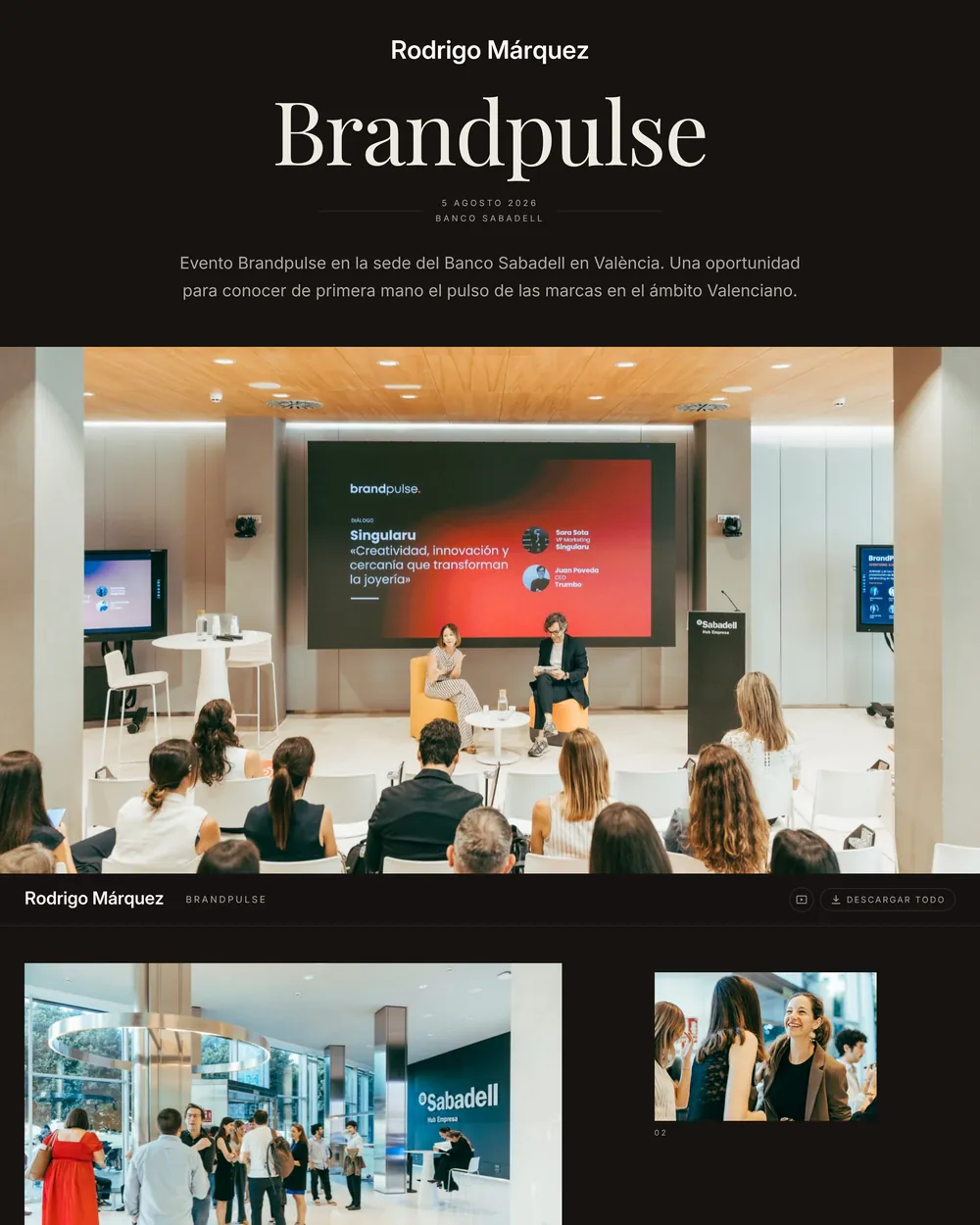
Client gallery with a dark theme and the title centered on the cover

Real galleries · three projects, three designs

The link

No expiry date.

Positiva gallery links never expire. And one gallery can have as many links as you need, each with its own password and permissions — originals for the client, view only for everyone else. If a link shouldn’t keep circulating, you revoke it.

Client

…positiva.studio/must-have-nyc

Download: HighPassword
Press

…positiva.studio/must-have-nyc-press

View onlyPassword

Two links · one gallery · different permissions

It doesn’t change

Replace a photo or upload the corrected cut of the video and the link stays the same. Nobody asks for “the right link” again.

Password-protected

Every link starts with its own password, which you can change or remove without touching the others.

On your domain

The address is served from your subdomain, on every plan. The address is part of your brand, too.

Or from your own custom domain. Studio plan
Permissions and downloads

You decide what they take home.

Download quality is set per link, with three levels, and you can change it whenever you want. The “Download all” button appears on its own, with a zip built on the fly that respects that link’s quality — and if you’d rather deliver your own zip, with a contract inside, you can do that too.

Default

None · view only

The default setting. The gallery can be viewed, not downloaded: no download button appears.

For sharing

Web

The optimized version, the same one shown in the gallery. For sharing without handing out originals.

Final delivery

High · web + original

Everything: the web version and the original file exactly as you uploaded it. For the final delivery.

Favorites go back to your editor

Your client confirms their email when they mark the first one, so you know who picked each photo. You import the favorites into Lightroom with the Positiva plugin, or export the selection — just your client’s, or everyone’s — as a list of file names (.txt), a spreadsheet (.csv) or Finder color tags.

Project not signed off yet?

Any gallery can be set to delivery or to proofing, and you can switch back and forth as often as you need without losing anything. Proofing adds comments — on photos, image by image; on video, pinned to the exact frame.

Moments

The gallery tells the day in chapters.

Moments split the gallery into named sections — the job sets the outline: session, event, ceremony — and your client jumps straight to the part they’re looking for from inside the gallery.

Real client gallery split into moments, each section named in the header
Real gallery · moments, with their counts, in the header
Photo and video

One gallery. One link.

JPEG and MP4 live side by side in the same gallery: the same moments, the same branding and a single address to send. Video plays right inside the gallery, without sending anyone to another platform and without separate storage pools: a gigabyte is a gigabyte, photo or video.

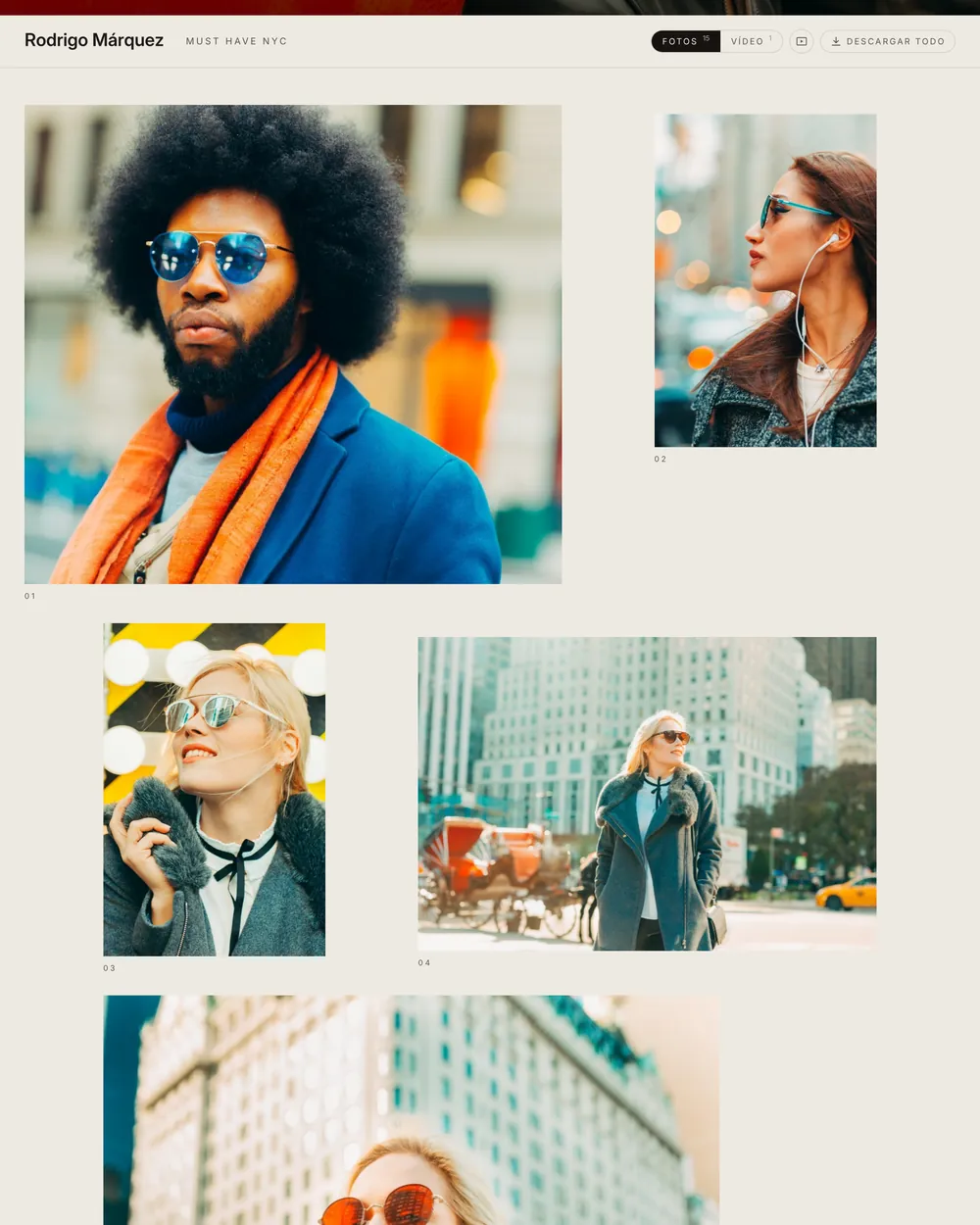
The photo grid of a real client gallery, with Photos and Video tabs in the header
Photos · the grid, with the Video tab next to it
The Video tab of the same gallery, with the video ready to play
Video · plays inside the gallery itself
Analytics

You know if they’ve opened it.

Every gallery tracks its activity: visits, unique visitors, downloads and plays. Nothing to install and no third-party tracking pixels.

Author and Studio plans

214VISITS
38UNIQUE
61DOWNLOADS
122PLAYS
FAQ

The ones that matter.

Does the gallery link expire?

No. Links have no expiry date, and they don’t change when you replace files in the gallery.

Does my client need to create an account?

No. They open the link in any browser, with no account and nothing to install. For a delivery, access is controlled by the link’s password.

Can I give the couple and the guests different permissions?

Yes. One gallery can have as many links as you need, each with its own password and download quality: view only, web, or high with originals.

Can I deliver photos and video in the same gallery?

Yes. Photos and video share the same gallery, the same moments and the same link, and video plays inside the gallery. Storage is a single pool for both.

Which file formats does a gallery support?

JPEG for photos and MP4 with H.264 for video — the formats a web browser can play. RAW files aren’t supported.

Can I see whether my client has opened the gallery?

Yes. Every gallery tracks visits, unique visitors, downloads and plays. Author and Studio plans

What happens if I replace a file after delivery?

The link stays the same and the previous version is kept. Nobody has to download anything again or ask for a new link.

Book a demo

Your next delivery, with a link that never dies.

Positiva is best shown live. Book a demo and I’ll walk you through it on your own workflow, with no commitment. If you’d rather explore on your own, sign up and start today. Plans and storage are on the pricing page.

No commitment and no newsletter: I'll only email you to schedule it.